UsefulSofts
  • Home
  • News
  • Applications
  • Softs
  • Tools
No Result
View All Result
UsefulSofts
  • Home
  • News
  • Applications
  • Softs
  • Tools
No Result
View All Result
UsefulSofts
No Result
View All Result

Simplenote Free and practical minimalist note-taking software

UsefulSofts by UsefulSofts
in Tools
0
Simplenote Free and practical minimalist note-taking software
402
SHARES
2.4k
VIEWS
Share on FacebookShare on Twitter

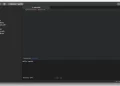
Simplenote is a free and multi-platform note-taking software that supports Windows, Mac, iOS, Android and Linux. This article introduces this software

Minimalist interface

The interface of Simplenote is very simple. After opening the application, you will see a list of notes on the left. Click on the corresponding note to view and edit it, and you can also quickly create a new note. There are no various functions or components in Simplenote. You just need to use text records

Markdown syntax support

In addition to using plain text records, Simplenote also supports Markdown syntax. You can enable Markdown support in the settings in the upper right corner. After enabling Markdown syntax, a preview button will appear above the note, and you can switch between the viewing and editing modes of Markdown

Multi-platform synchronization

Although it is a completely free software, Simplenote still provides cloud synchronization function, which can synchronize your notes on various devices in real time

History recovery

History is a very useful feature in Simplenote, it allows you to restore the note to the previous version and retrieve the previously modified content

Collaborate and share

Simplenote also provides collaboration and sharing features, you can invite others to view and edit a note, or share it with others through a link

Simplenote is a very easy-to-use note-taking software. If you are looking for a completely free note-taking software, it is recommended to use


Previous Post

SideNotes shortcut notes hidden on the edge of the screen (macOS)

Next Post

Diffchecker online comparison tool supports text, code, pictures and other types

Next Post
Diffchecker online comparison tool supports text, code, pictures and other types

Diffchecker online comparison tool supports text, code, pictures and other types

Please login to join discussion

NEWS

5 Easy-to-Use Mail Client Apps for Mac Recommended

5 Easy-to-Use Mail Client Apps for Mac Recommended

Generate word clouds online with Word Art

Generate word clouds online with Word Art

uBlacklist exclude specific websites from Google search

uBlacklist exclude specific websites from Google search

Eagle is your own picture material and inspiration collection tool

Eagle is your own picture material and inspiration collection tool

WinDynamicDesktop allows Windows to use Mac live wallpapers

WinDynamicDesktop allows Windows to use Mac live wallpapers

Diffchecker online comparison tool supports text, code, pictures and other types

Diffchecker online comparison tool supports text, code, pictures and other types

The native modular note-taking app on Craft Mac

The native modular note-taking app on Craft Mac

How to dynamically display hidden battery icons with Bartender

How to dynamically display hidden battery icons with Bartender

Bartender 4 Customize Your Mac Menu Bar

Bartender 4 Customize Your Mac Menu Bar

How to enable Win11 mouse click lock

How to enable Win11 mouse click lock

Category

  • AI
  • Applications
  • News
  • Softs
  • Tools

About

Committed to sharing the latest and hottest software

Site Navigation

  • Home
  • Contact
  • cookie-policy

Recent News

Top 5 WhatsApp Marketing Platforms for High-Conversion Sales Funnels

Top 5 WhatsApp Marketing Platforms for High-Conversion Sales Funnels

How to Use ManyChat Keywords to Automate Lead Capture on Instagram Reels

How to Use ManyChat Keywords to Automate Lead Capture on Instagram Reels

  • Home
  • Contact
  • cookie-policy

© 2026 江苏知行信息技术有限公司

No Result
View All Result
  • Home
  • News
  • Applications
  • Softs
  • Tools

© 2026 江苏知行信息技术有限公司