In today’s hyper-connected world, Instagram has evolved far beyond a simple photo-sharing app. For businesses, it’s a bustling marketplace, a customer service hub, and a powerful lead generation tool, all rolled into one. With over 1 billion active users, the potential for sales is immense, especially within the direct messages (DMs).
However, managing an influx of Instagram DMs can quickly become overwhelming. Responding to every inquiry, qualifying leads, and guiding customers through the sales funnel manually is not only time-consuming but often leads to missed opportunities. This is where Instagram DM automation comes in, transforming your chaotic inbox into a streamlined, always-on sales machine.
And at the forefront of this revolution? ManyChat.
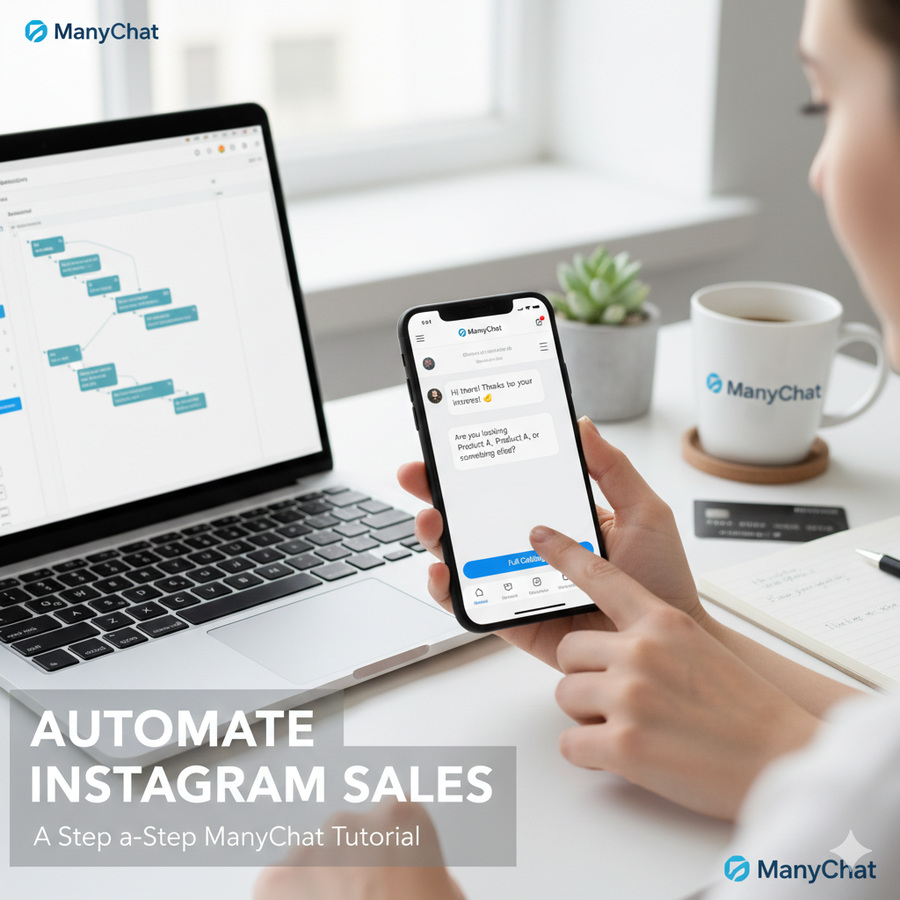
This comprehensive guide will walk you through, step-by-step, how to leverage ManyChat to automate your Instagram DM sales, freeing up your time, improving customer experience, and ultimately, boosting your bottom line. Even if you’re a complete beginner, we’ll demystify the process and show you how easy it is to set up powerful automations.
Why Automate Instagram DM Sales? The Untapped Potential
Before we dive into the “how,” let’s understand the “why.” Automating your Instagram DMs isn’t just about convenience; it’s a strategic move that delivers tangible business benefits:
-
24/7 Availability: Your Instagram chatbot never sleeps. It can answer questions, collect information, and even close sales at any hour, regardless of your team’s working hours or time zones.
-
Instant Responses: Customers expect immediate gratification. An automated DM ensures they get answers the moment they ask, significantly improving satisfaction and reducing drop-off rates.
-
Consistent Brand Voice: Every automated message will reflect your brand’s personality and messaging, ensuring a consistent and professional experience for every user.
-
Lead Qualification & Nurturing: Chatbots can ask qualifying questions, segment leads based on their interests, and guide them towards relevant products or services, acting as your tireless sales assistant.
-
Scale Your Efforts: Whether you have 10 DMs a day or 10,000, automation scales effortlessly, allowing you to handle a massive volume of interactions without increasing your headcount.
-
Reduce Manual Work: Free up your valuable time (or your team’s time) from repetitive tasks, allowing you to focus on high-impact strategic activities.
-
Boost Sales & Conversions: By providing immediate information, personalized recommendations, and clear calls to action, automated DMs can directly lead to more sales.
Introducing ManyChat: Your Go-To for Instagram DM Automation
ManyChat is a leading chat marketing platform that empowers businesses to create powerful chatbots for Instagram, Facebook Messenger, WhatsApp, and SMS, all without needing any coding knowledge. Its intuitive drag-and-drop interface makes building complex automation flows accessible to everyone.
For Instagram specifically, ManyChat allows you to:
-
Automatically respond to DMs based on keywords.
-
Reply to mentions and story replies.
-
Engage with users who comment on your posts or Reels.
-
Send personalized follow-up messages.
-
Integrate with e-commerce platforms and CRMs.
Ready to transform your Instagram DMs into a sales powerhouse? Let’s get started.
Step 1: Getting Started with ManyChat – Your Account Setup
If you don’t already have one, your first step is to create a ManyChat account.
-
Visit the ManyChat Website: Go to ManyChat.com and click on the “Get Started Free” button.
-
Sign Up: You can typically sign up using your Facebook account, which will streamline the connection process later.
-
Connect Your Instagram Account: Follow the on-screen prompts to connect your professional Instagram account.
-
Important: Your Instagram account MUST be a Professional Account (either Creator or Business). It cannot be a personal account.
-
Your Instagram Professional Account must be connected to a Facebook Page that you manage.
-
You’ll need to grant ManyChat the necessary permissions to manage your Instagram DMs.
-
Once connected, you’ll land on your ManyChat dashboard, ready to build your first automation!
Step 2: Understanding ManyChat Flows – The Core of Automation
In ManyChat, automations are built using “Flows.” A flow is a sequence of messages, actions, and conditions that guides a user through a conversation. Think of it as a conversational roadmap.
To access Flows:
-
From your ManyChat dashboard, navigate to Automation on the left-hand menu.
-
Click on Flows. Here you’ll see a list of any existing flows and the option to create a New Flow.
Step 3: Setting Up Your First Instagram DM Sales Flow – A “Keyword” Trigger
One of the most powerful ways to initiate a sales conversation is through keywords. Imagine a customer DMs you with “price” or “catalog.” You want an immediate, helpful response.
Let’s create a simple flow that responds when someone DMs “Product Info.”
-
Create a New Flow: Click New Flow and choose “Start from Scratch.” Give your flow a descriptive name, e.g., “Product Info DM Sales.”
-
Choose Your Trigger: Every flow needs a trigger – something that starts the automation.
-
Click “Add Trigger.”
-
Select Instagram DM.
-
Choose User sends any message with a keyword.
-
Enter your keyword, e.g., “Product Info” (you can add variations like “products,” “info,” etc.).
-
Pro Tip: Always include common misspellings or singular/plural forms of your keywords.
-
Click “Create.”
-
-
Design Your Message Sequence: Now, what happens after the trigger?
-
The first step in your flow will be a “Send Message” block.
-
Welcome Message: Draft a friendly, informative message. For example: “Hi there! 👋 Thanks for reaching out about our products. To help you find exactly what you’re looking for, please tell us: Are you interested in [Product Category A], [Product Category B], or browsing our full collection?”
-
Add Quick Replies/Buttons: Below your message, add “Quick Reply” buttons or standard “Buttons” to guide the user. For example:
-
Button 1: “Category A” (Link to a new message block or a specific product page)
-
Button 2: “Category B” (Link to a new message block or a specific product page)
-
Button 3: “Full Catalog” (Link directly to your e-commerce store’s catalog page or a specific ManyChat message showcasing top products).
-
-
Link to Your Store: For buttons leading to your full catalog, use the “Open Website” action and insert the URL to your online store. This is a direct path to conversion!
-
Example Call-to-Action: “Ready to explore? Click here to view our latest collection: [Your Website Link]”
-
-
Publish Your Flow: Once your message and buttons are set, click the blue Publish button in the top right corner. Your automation is now live!
Step 4: Building a Lead Qualification Flow with Custom Fields
Beyond simply providing information, ManyChat can help you qualify leads and gather valuable data.
Let’s create a flow that asks for a customer’s email address in exchange for a discount code or exclusive content.
-
Create a New Flow: Name it “Discount Code Lead Qual.”
-
Trigger: This could be a keyword (“Discount”), a comment on a specific post (using the “Instagram Comments” trigger), or even a button within another flow.
-
Ask for Email:
-
Send a message: “Great! We’d love to send you an exclusive discount code for your first purchase. What’s your best email address?”
-
Add a “User Input” block (under “Content” section).
-
Set the “Reply Type” to Email.
-
“Save response to a Custom Field” (e.g., “Email Address”). If you don’t have this field, ManyChat will prompt you to create it. Custom fields are crucial for storing user data.
-
-
Send the Discount Code:
-
After the email is collected, send a new message: “Thanks! Your discount code
WELCOME15has been sent to your inbox. Enjoy 15% off your order! 👉 [Your Website Link]” -
You can also add an “Action” block to “Send Email” to the user directly from ManyChat with the code, ensuring they receive it.
-
-
Publish: Don’t forget to publish your flow!
Step 5: Automating Comment Replies for Post Engagement
Instagram’s algorithm loves engagement. When users comment on your posts or Reels, you want to seize that opportunity. ManyChat can automatically reply to comments and even send DMs to commenters.
-
Create a New Flow: Name it “Post Comment Engagement.”
-
Add Trigger:
-
Select Instagram Comments.
-
Choose “Specific Posts” or “All Posts” (for beginners, “Specific Posts” is safer).
-
Select the post you want to automate.
-
Specify “Keywords in comments” if you want to filter (e.g., if they comment “GIVEAWAY”). Or leave blank to trigger on any comment.
-
Click “Create.”
-
-
Design the Automation:
-
Public Reply: Add an “Instagram Reply to Comment” block. Draft a public reply that thanks them for commenting and perhaps encourages them to check their DMs: “Thanks for commenting! We just sent you a DM with more info. 😉”
-
Private DM: Connect a “Send Message” block to the trigger. This message will be sent privately to the commenter’s DM inbox. This is where the magic happens!
-
“Hey [First Name], thanks for commenting on our recent post! You mentioned [their comment/keyword]. We’d love to tell you more. What are you most interested in today? [Offer options or lead to a sales flow].”
-
-
Integrate Sales Flow: You can link this private DM directly to a sales qualification flow (like the “Product Info” or “Discount Code” flow we built earlier) using buttons or quick replies.
-
-
Publish: Activate this powerful engagement booster!
Step 6: Nurturing Leads & Following Up
The sale often doesn’t happen on the first interaction. ManyChat allows you to nurture leads over time.
-
Sequences: Create “Sequences” (under Automation) to send a series of messages over several days or weeks. For example, a 3-day sequence after someone expresses interest in a product, offering more details, testimonials, and a final call to action.
-
Conditions: Use “Conditions” within your flows to personalize conversations. If a user says “yes” to an offer, send them down one path; if “no,” send them down another with a different offer or educational content.
Step 7: Analyzing Performance and Optimizing
ManyChat provides analytics to help you understand how your automations are performing.
-
Go to Broadcasts & Automation: You can see open rates, click-through rates, and conversions for your messages.
-
Review Flow Analytics: Within each flow, you can see visual data on how users navigate your conversation paths.
-
Identify Bottlenecks: Look for where users drop off. Is a message unclear? Is a button not compelling enough?
-
A/B Test: ManyChat allows you to A/B test different messages and paths to see what performs best.
-
Iterate and Improve: The key to successful automation is continuous optimization based on data.
Ready to Transform Your Instagram Sales?
Automating your Instagram DMs with ManyChat isn’t just about saving time; it’s about creating a more effective, scalable, and responsive sales process. From instantly answering FAQs to qualifying leads and driving direct sales, the possibilities are vast.
By following this step-by-step tutorial, you’re now equipped to set up powerful automations that will engage your audience 24/7, improve customer satisfaction, and significantly boost your sales on Instagram.
Don’t let valuable sales opportunities slip through your DMs any longer. Take control of your Instagram presence and unlock its full sales potential.
Ready to start automating your Instagram DM sales today? Visit the official ManyChat website to get started with your free account and explore their powerful features!